
Telegram integration

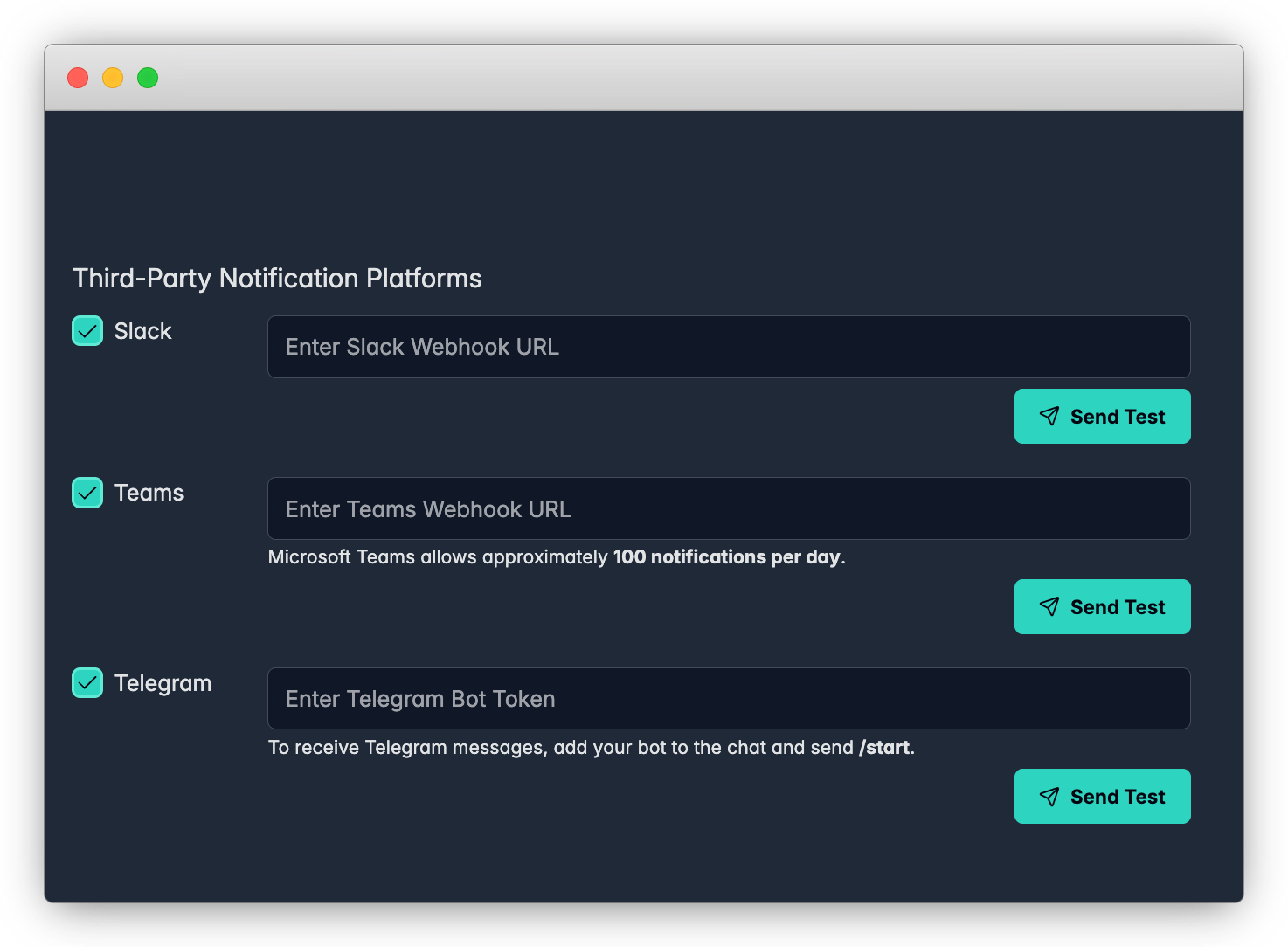
Notifications

In order to receive notifications in Telegram, we need to connect 123 Cluster environment with Telegram API.
In this tutorial you will learn how to generate a unique token for this purpose.
Starting with Telegram setup
Step 1 - You must already own or create a Telegram account.
Step 2 - First, we will create a Telegram Bot in order to get an Access Token.
You can learn a bit more about Telegram API and Bots here Bots: An introduction for developers
Step 3 - Open your telegram app and type @BotFather into a search bar.

Telegram bots can receive messages or commands.
The former are simply text that you send as if you were sending a message to another person, while the latter are prefixed with a / character.
Step 4 - To create a new bot, send the following command to BotFather as a chat (exactly as if you were talking to another person on Telegram):
example command: /newbot
You should get a reply instantly that asks you to choose a name for your Bot.
You have to send then the name you want for the bot, which can be anyone, for instance:
example name, do not use: 123ClusterBot
BotFather will now ask you to pick a username for your Bot.
This username has to end in bot, and be globally unique.
Hint: As of 2025, most popular combinations are already taken by users.
You might need to combine at least 3 words, separated by dash, numbers or special symbols.
System will return 'Sorry, this username is invalid' in case of a failure.
In this tutorial we’ll indicate the Bot’s username with username_external_2000_ bot, so you’ll have to substitute your chosen username wherever relevant from now on.
Send your chosen username to BotFather:
example username, do not use: username_external_2000_bot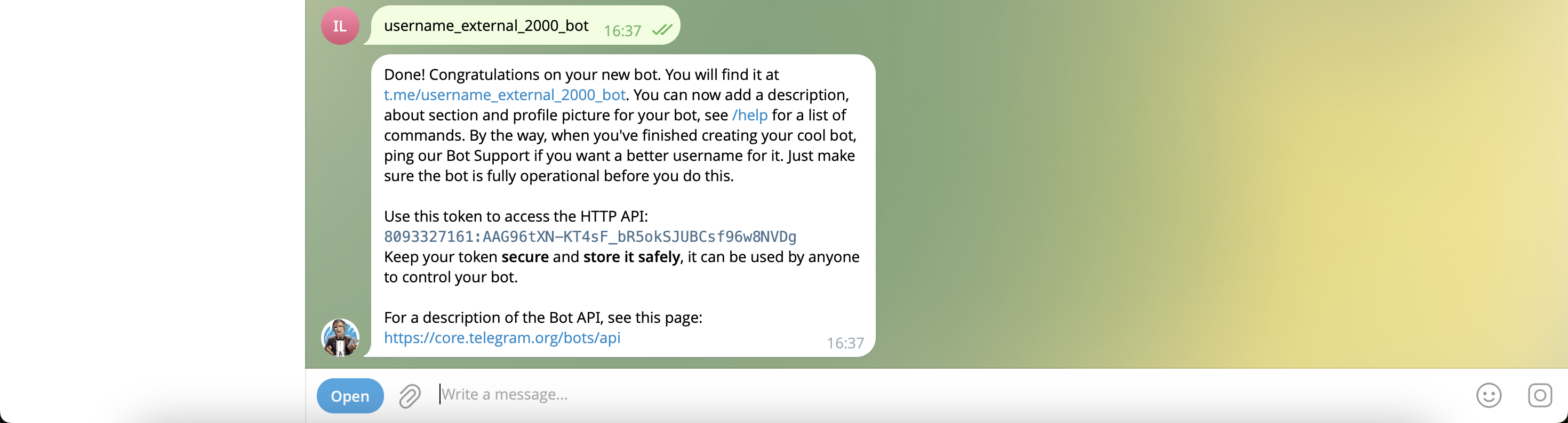
After doing so, BotFather will send you a “Congratulations” message, which will include a token.
The token should look something like this:
example, do not use: Use this token to access the HTTP API:
8093327161:AAG96tXN-KT4sF_bR5okSJUBCsf96w8NVDg
Take note of the token, as you’ll need it later on for 123Cluster.
Browse to Notifications menu and paste your token in Telegram field.
Select Apply to save the changes.